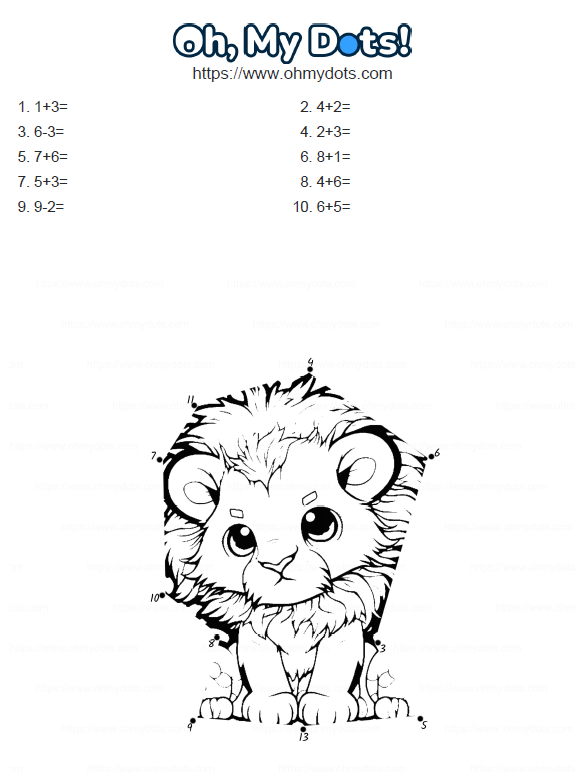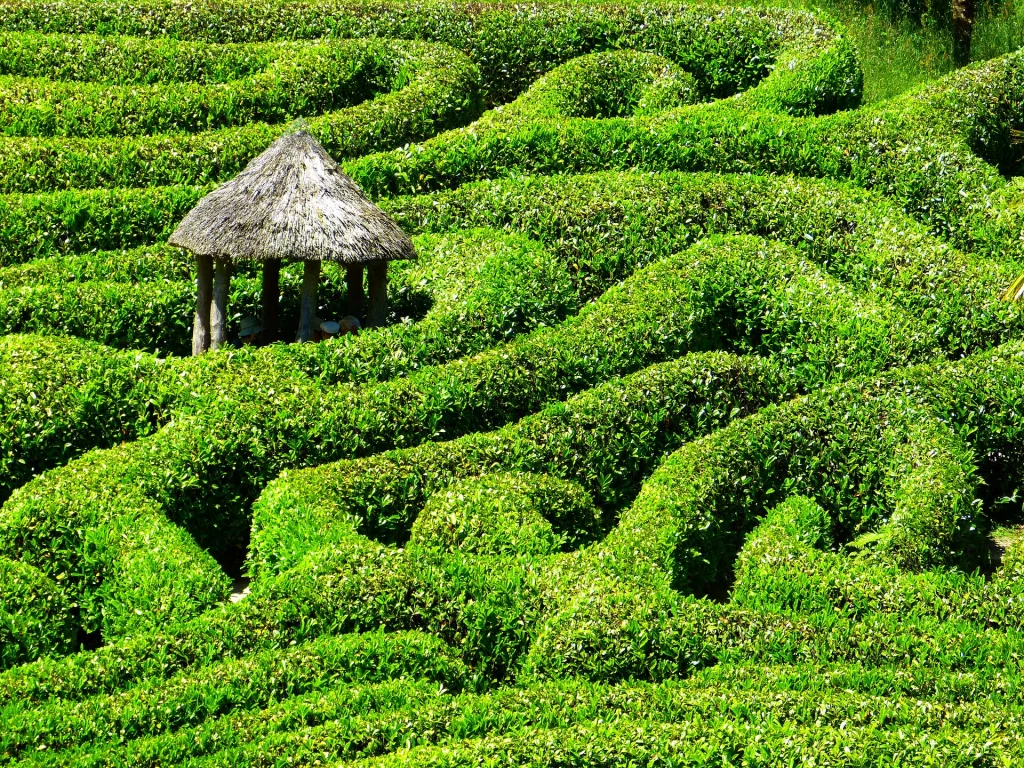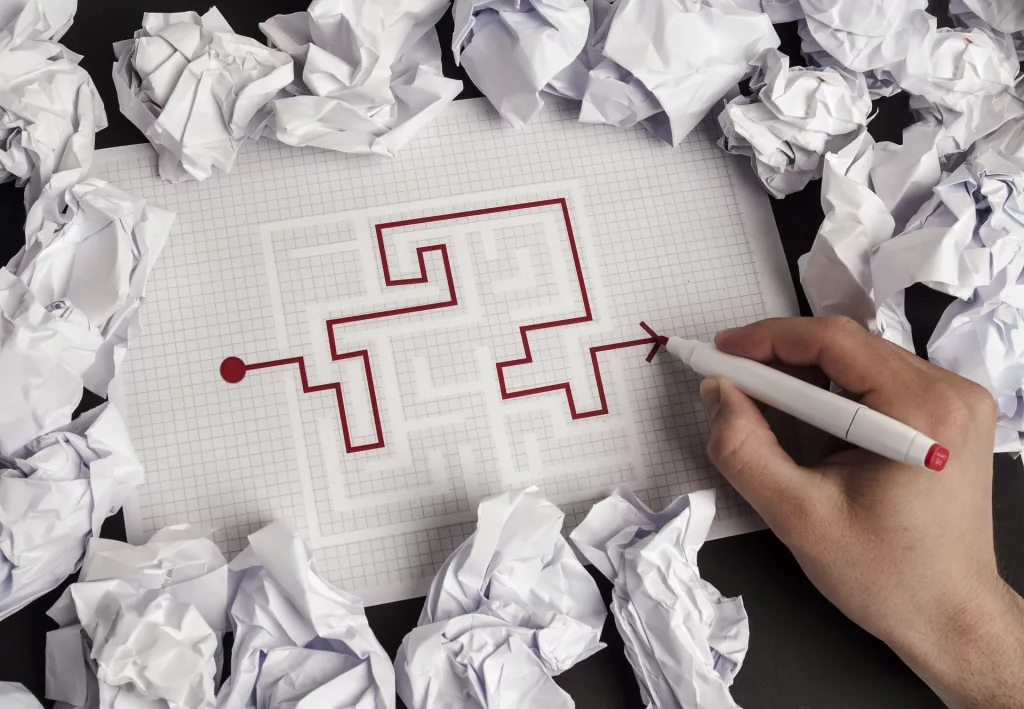
Connect-the-dots games have long been a favorite pastime for people of all ages. These engaging puzzles not only provide hours of entertainment but also offer valuable benefits for cognitive development and learning. Traditionally, connect-the-dots games have used numbers as the guiding sequence, but what if we could add a unique twist by using alphabet letters instead? In this article, we’ll explore how you can create free connect-the-dots games with alphabet letters and discover the possibilities of this fun and educational activity using the Oh, my Dots website. From unleashing your creativity to sharing your creations online or printing them as worksheets, Oh, my Dots offers a remarkable platform for puzzle enthusiasts, educators, and anyone seeking a creative outlet.

The Charm of Alphabet Connect-the-Dots Games

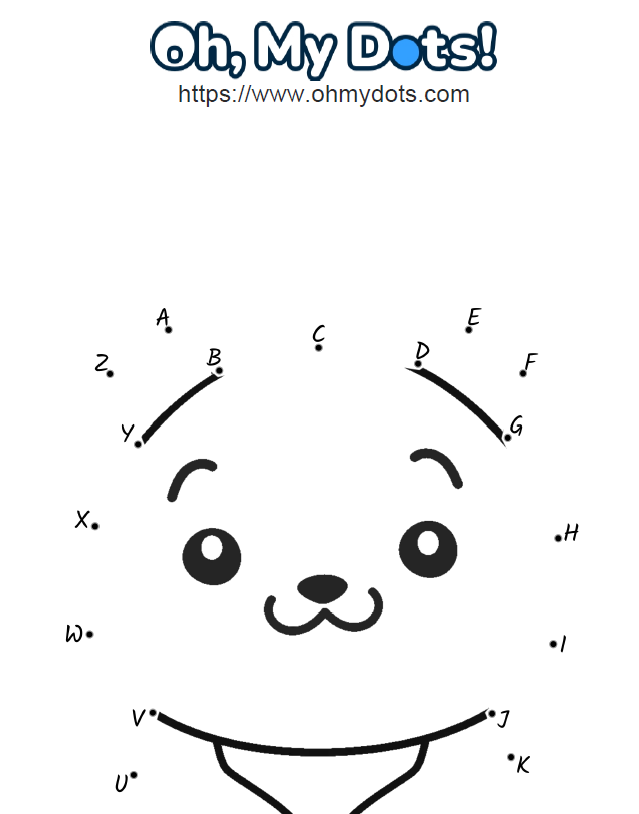
Connect-the-dots games with numbers have always been enjoyable, offering a sense of mystery and excitement as you reveal a hidden shape or object by connecting the dots in the correct order. However, using alphabet letters can add a new layer of creativity and learning to the experience. Each letter becomes a piece of the puzzle, and as players connect the dots in alphabetical order, they also reinforce their knowledge of the alphabet. It’s a fantastic way to introduce or reinforce letter recognition and sequencing skills for young learners. For older players, alphabet connect-the-dots games can be transformed into more intricate and challenging puzzles, providing a refreshing twist on a classic activity.

Getting Started on Oh, my Dots

Oh, my Dots is a user-friendly website that allows you to create your own connect-the-dots games using alphabet letters. To get started, simply visit the website www.ohmydots.com and access the dot-to-dot maker. The platform offers a range of customization options, allowing you to personalize your puzzles according to your preferences and intended audience. Whether you’re a teacher creating educational activities or a parent looking for fun and interactive games for your children, Oh, my Dots has something for everyone.

Step-by-Step Guide to Creating Alphabet Connect-the-Dots Games

  1. Choose Your Image: Begin by selecting an image or design you want to transform into a connect-the-dots puzzle. It could be a simple shape, an animal, a vehicle, or even a letter itself. Let your imagination run wild!
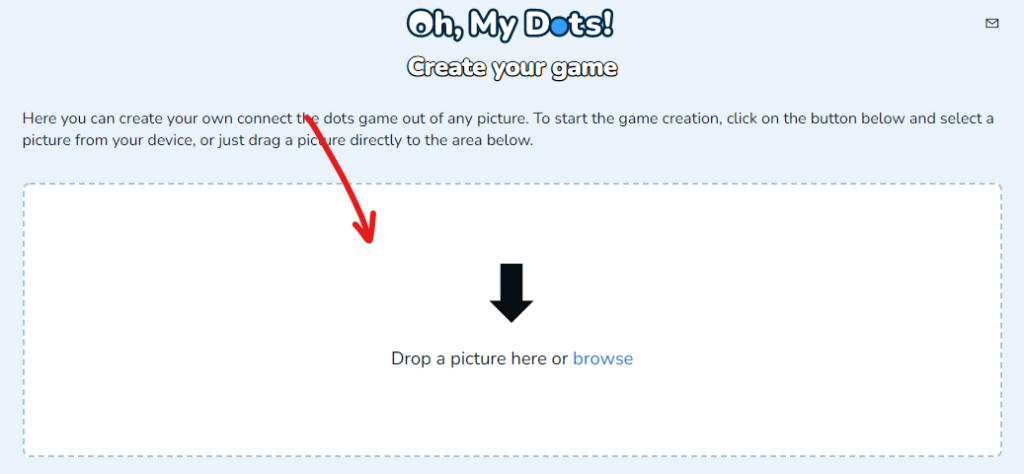
  2. Upload Your Image: Upload your selected image to the Oh, my Dots website. The platform’s intuitive interface allows you to easily import your image and begin the transformation process.
  3. Determine the number of letters: Once you have your image, decide on the number of dots/letters you want to use for the puzzle game.
  4. Adjust the Dots: The next step involves placing dots strategically on your image to form the connect-the-dots puzzle. The tool will automatically set the dots for you. But you can always move the dots to position them on a different place.
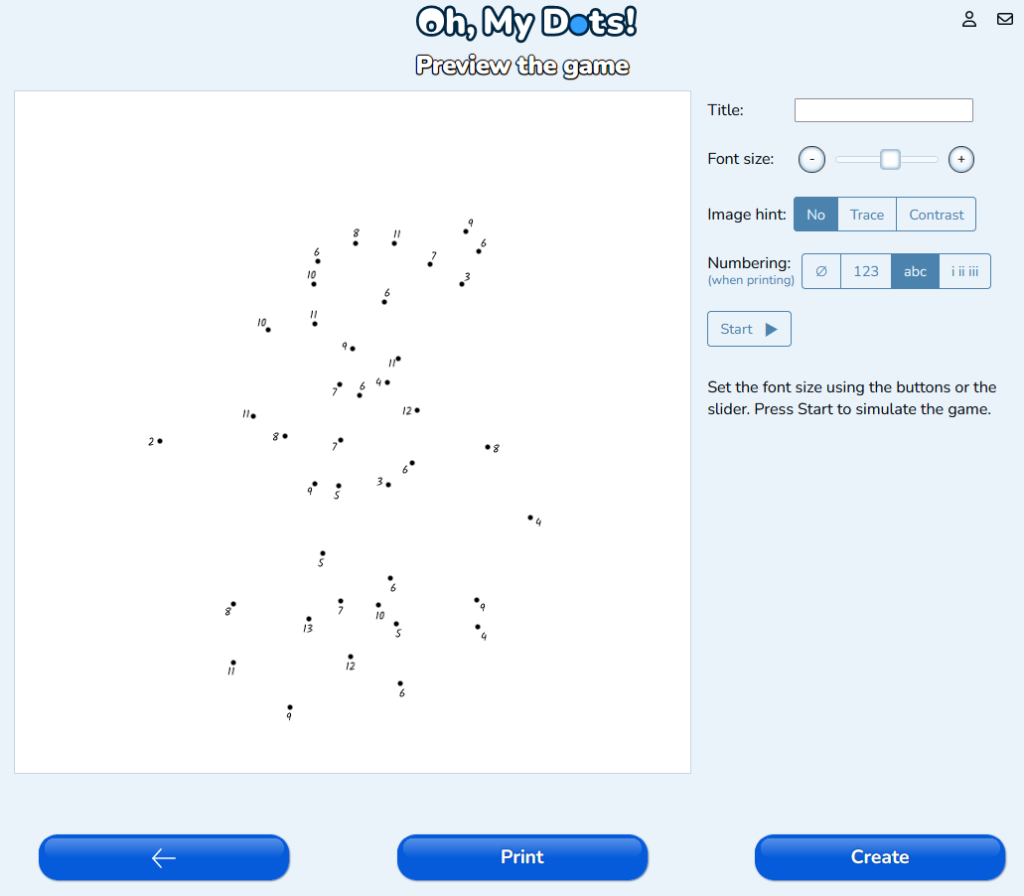
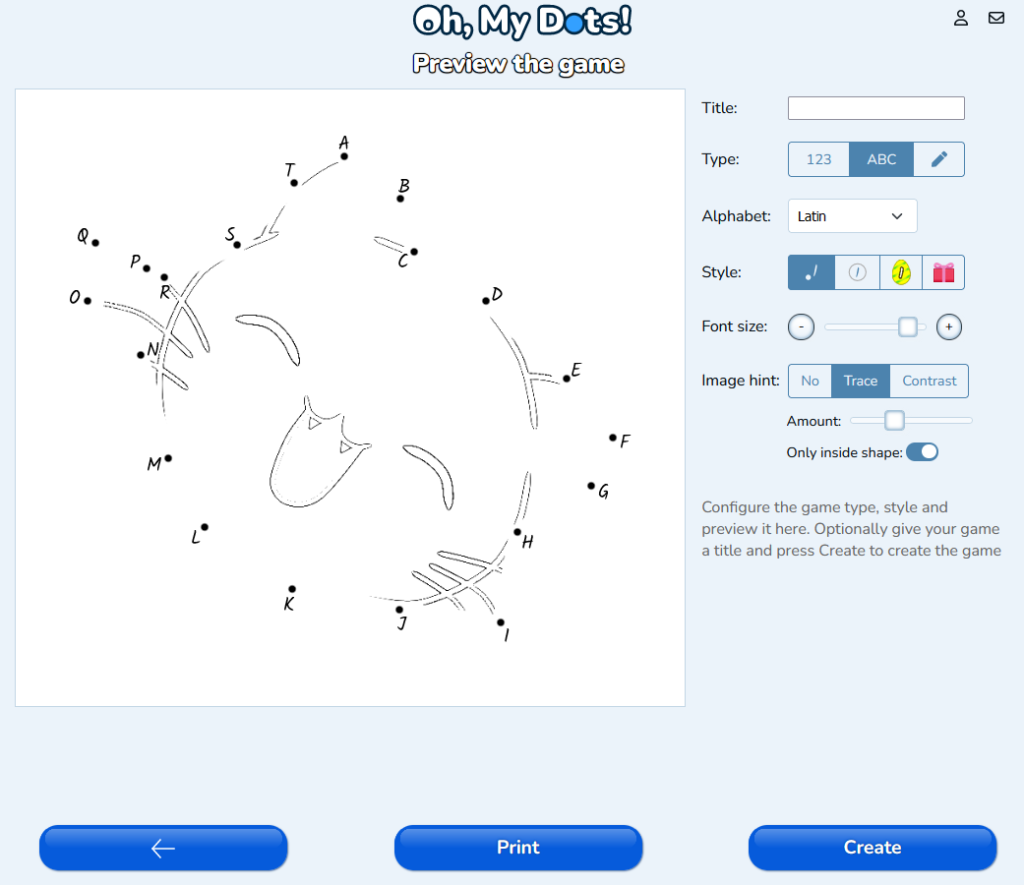
  5. Select the alphabet: In the next page, select to use letters instead of numbers and chose the alphabet. Currently supported alphabets are Latin (English), Greek, Arab, Hebrew and Sign language.
  6. Customize and Finalize: Oh, my Dots offers various customization features, such as adjusting the size of the dots, changing the font style of the letters. Take your time to customize the puzzle to your liking.
  7. Play and Share: Once you’re satisfied with your creation, save the puzzle by pressing “Create”, and it will be ready to play instantly on the website. You can also choose to print it as a worksheet for offline use or share it with friends, family, or students.

Benefits of Alphabet Connect-the-Dots Games

Beyond the sheer joy and entertainment value, alphabet connect-the-dots games offer numerous benefits for both children and adults:

  1. Letter Recognition and Sequencing: For young learners, connecting the dots in alphabetical order reinforces their knowledge of the alphabet. This hands-on approach to learning can help solidify letter recognition and sequencing skills.
  2. Fine Motor Skills: As players carefully connect each dot, they engage their fine motor skills. This activity is particularly beneficial for young children who are developing their hand-eye coordination and pencil grip.
  3. Cognitive Development: Puzzles, including connect-the-dots games, encourage critical thinking and problem-solving skills. Players must analyze the sequence of letters to reveal the hidden image, stimulating their cognitive abilities.
  4. Creativity and Imagination: Creating custom connect-the-dots puzzles allows individuals to express their creativity and imagination. Whether it’s designing original shapes or using the alphabet in unique ways, the possibilities are endless.
  5. Educational Tool: Teachers can incorporate alphabet connect-the-dots puzzles into their lesson plans to make learning more engaging and interactive. These puzzles can be tailored to suit various educational objectives, such as teaching the alphabet, spelling, or even simple addition and subtraction.

Conclusion

Creating free connect-the-dots games with alphabet letters opens up a world of creativity and learning opportunities. Oh, my Dots provides a fantastic platform for puzzle enthusiasts, educators, and parents to design unique and engaging puzzles that can be played online or printed as worksheets. Whether you’re looking to reinforce letter recognition with young learners or challenge yourself with more intricate puzzles, the combination of alphabet letters and connect-the-dots promises an enriching and enjoyable experience for all. So why not dive into the realm of alphabet connect-the-dots games and explore the endless possibilities of this delightful and educational activity? Unleash your creativity and embark on a puzzle-solving adventure with Oh, my Dots!


Crossword puzzles are a popular pastime enjoyed by people of all ages. They not only offer entertainment but also provide numerous cognitive benefits, particularly for seniors. Crossword puzzles help to improve mental agility, vocabulary, and memory, which are important factors for maintaining cognitive health in older adults. Additionally, solving crossword puzzles can be a fun and engaging way to socialize and connect with others.

Some of the benefits of crossword puzzles for aged people

  1. Improve Mental Agility

Crossword puzzles require seniors to think critically and creatively, which can help to improve their mental agility. As they work to solve clues, they are engaging their brain and keep it active, which can help to maintain cognitive function over time.

  1. Boost Vocabulary

Crossword puzzles can help seniors to expand their vocabulary and improve their language skills. As they solve clues, they are exposed to new words and concepts, which can help to increase their overall word knowledge.

  1. Enhance Memory

Crossword puzzles require seniors to remember words they have already filled in and use that information to solve new clues. This can help to improve their short-term memory and working memory, which are important cognitive functions.

  1. Reduce the Risk of Dementia

Research has shown that regularly engaging in activities that challenge the brain, such as solving crossword puzzles, can help to reduce the risk of dementia in older adults. Crossword puzzles help to maintain cognitive function and improve mental agility, which are important factors in reducing the risk of cognitive decline.

Creating a free online AI-powered crossword puzzle using Oh, My Dots can be an excellent way for seniors to engage in a fun and educational activity. Oh, My Dots is an online platform that allows users to create and solve crossword puzzles. The platform uses artificial intelligence to generate clues and answers, making the creation of challenging and engaging puzzles easier.

Steps to create a free online crossword puzzle for Senior

Step 1: Open the Oh, My Dots! crossword puzzle generator

The first step in creating an online crossword puzzle using Oh, My Dots! is to open the Crossword Generator in your preferred browser. The crossword puzzles are free to create and you don’t need to register to create a new one.

Step 2: Choose a theme

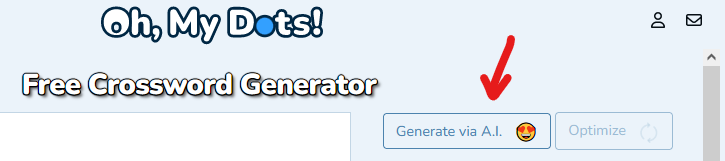
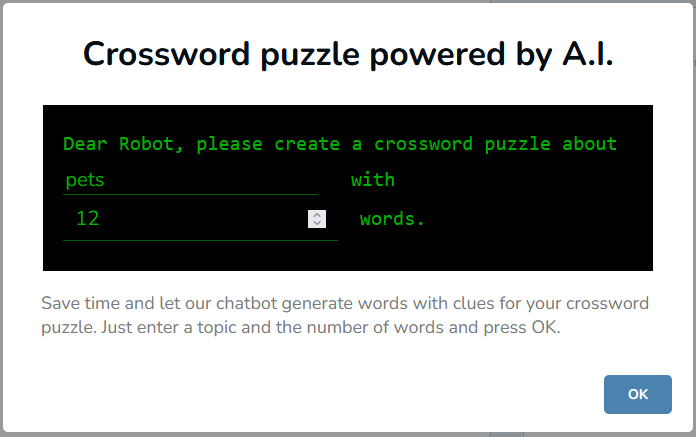
To create an AI-powered crossword puzzle, you need to choose a theme. A theme can be anything from a specific topic, such as animals or food, to a particular event, such as a holiday or historical event. Click on the button Generate via A.I., enter your theme and select the desired number of words.

Step 3: Add or edit the words and clues

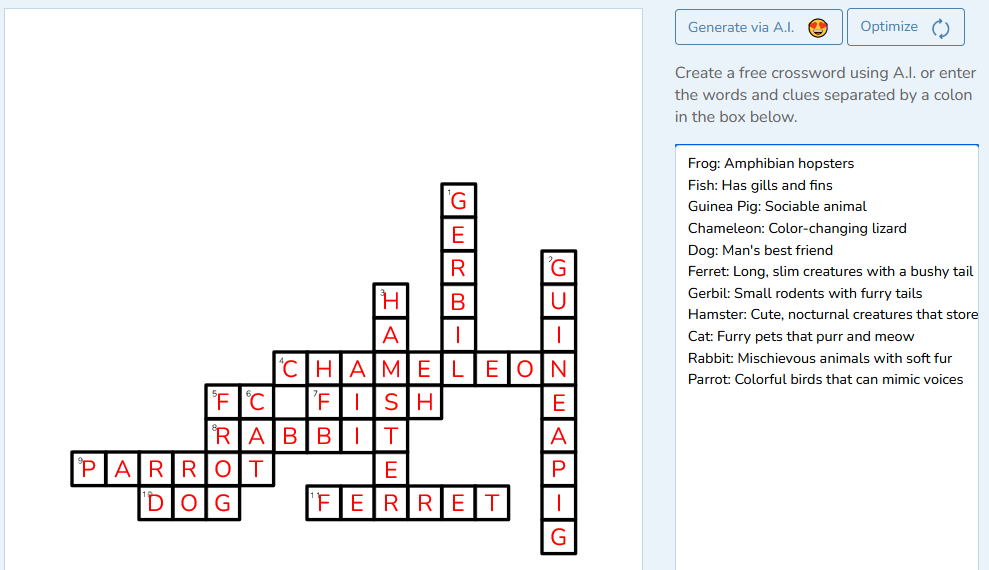
The tool will generate a list of words related to your chosen theme, making it easier to create a puzzle that is both challenging and relevant. This doesn’t prevent you from adding your own words and clues or editing the clues generated by A.I.. Clues should be challenging enough to make the puzzle engaging, but not so difficult that it becomes frustrating.

Step 4: Optimize the puzzle

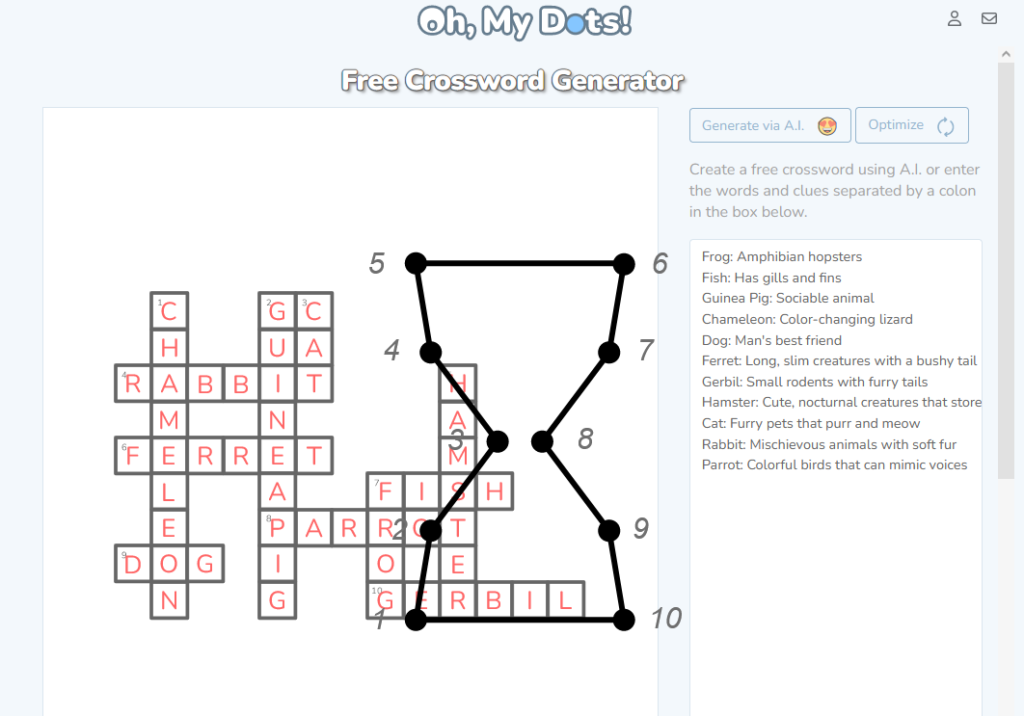
The Crossword Generator puzzle can optimize the crossword to minimize the space needed and maximize the number of intersections. Click on the optimize button to enhance the crossword puzzle. You can press it as many times as you want.

Step 5: Publish your puzzle

After completing your puzzle, you can publish it on the Oh, My Dots platform. To do so press the button Create. This will allow you to share the puzzle with other players. You can also share your puzzle on social media or print it.

In conclusion, crossword puzzles are a great way for seniors to maintain cognitive function and improve mental agility. They offer numerous cognitive benefits, including improving vocabulary and memory and reducing the risk of dementia. Creating a free online AI-powered

Crossword puzzles have been a popular pastime for many years. They are challenging, fun, and educational all at the same time. Traditionally, crossword puzzles were created manually by puzzle enthusiasts, but with the help of AI technology, anyone can now create their own crossword puzzles in just a few minutes. In this article, we will show you how to create a free crossword puzzle using the Oh, My Dots! crossword generator powered by AI.

What is a Crossword Puzzle?

A crossword puzzle is a word game. The goal of the game is to fill in the board with letters to form words, based on clues provided for each word. The clues are usually numbered and placed either across (from left to right) or down (from top to bottom) in the grid.

Each clue gives a hint or definition of the word that is to be filled in. The player must use their knowledge of language and vocabulary to decipher the clue and determine the correct word to fit into the grid. The letters of intersecting words provide additional hints and help to narrow down the possibilities.

Crossword puzzles are often published in newspapers, magazines, and puzzle books, and they are a popular pastime for many people who enjoy mental challenges and word games.

Oh, My Dots! is a website where you can create free educative games. It has a crossword generator that uses AI to help you create a crossword puzzle quickly and easily. The website has a simple and user-friendly interface that allows you to create your own crossword puzzle in just a few clicks. To get started, follow these simple steps.

How to Generate a Free Crossword

  • Open Oh, My Dots! Free Crossword Generator

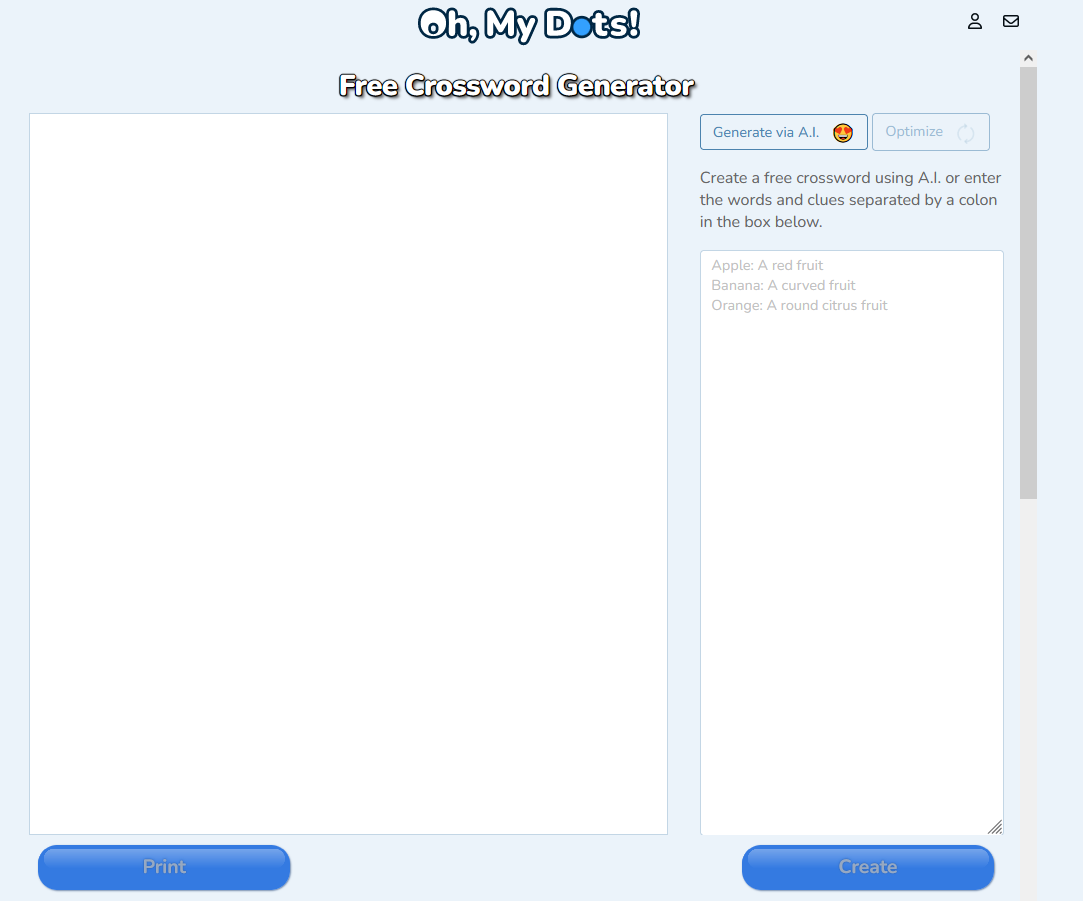
    The first step is to go navigate to the Oh, My Dots! crossword generator online tool at: https://www.ohmydots.com/creator-crossword.html. Once you are on the website, you will see a blank text box where you can start creating your crossword puzzle.

  • Create the crossword clues with the help of AI

    Press the button Generate with A.I. to open the generator dialog. You can enter a subject for your crossword puzzle and select the number of words. The subject is optional.

    You don’t need to use A.I. to create the crossword. You can simply start typing words with their clues in the textbox and the crossword will be automatically generated for you.

  • Edit your crossword puzzle

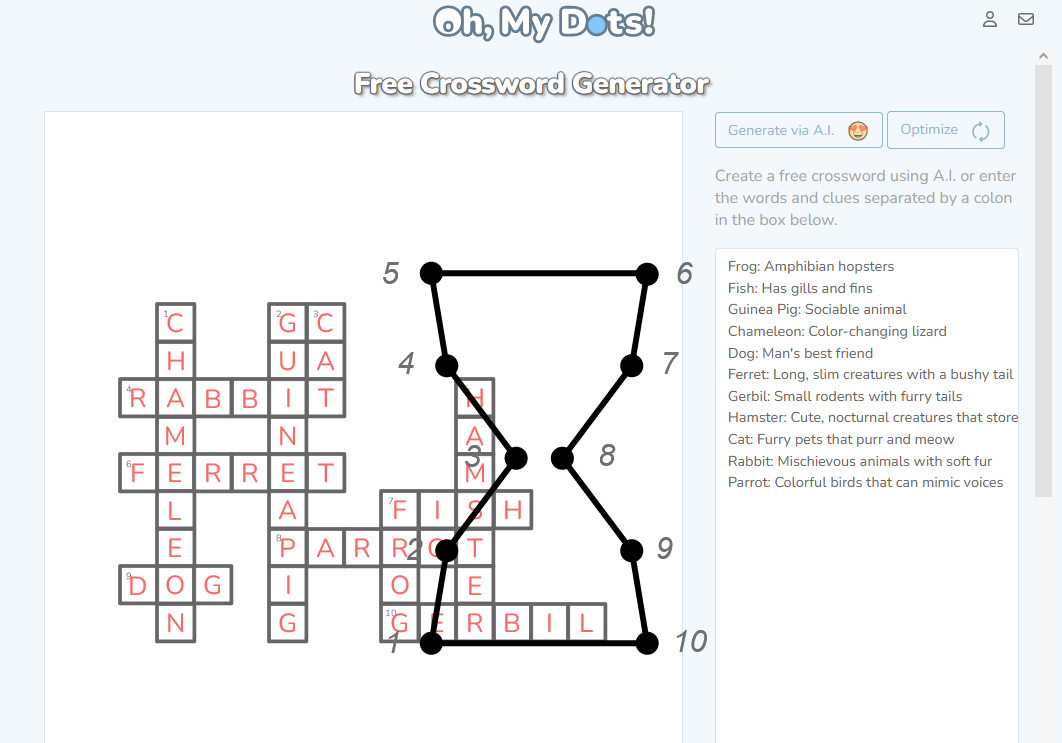
    Once the AI has generated your crossword puzzle, you can edit it to make any necessary changes. You can change the words and even delete or add clues. To edit your crossword puzzle, simply edit the text in the textbox to make the necessary changes.

  • Optimize the Crossword

    Once you finished editing the words and clues, press the Optimize button. AI will now try to optimize the crossword to maximize the intersections and minimize the board size. You can press the Optimize button as many times as you like.

    If you get a warning like “The current crossword has XX intersections. It was not possible to generate a better crossword. Do you want to try again?”, you can still try again. But it is very unlikely that the crossword can be further optimized.

  • Share and print your crossword puzzle

    After you have finished editing your crossword puzzle, it is time to share and print it. To share your crossword puzzle, click on the “Create” button located at the bottom right of the screen. This will save the game at Oh, my Dots! and generate a unique share link for you.

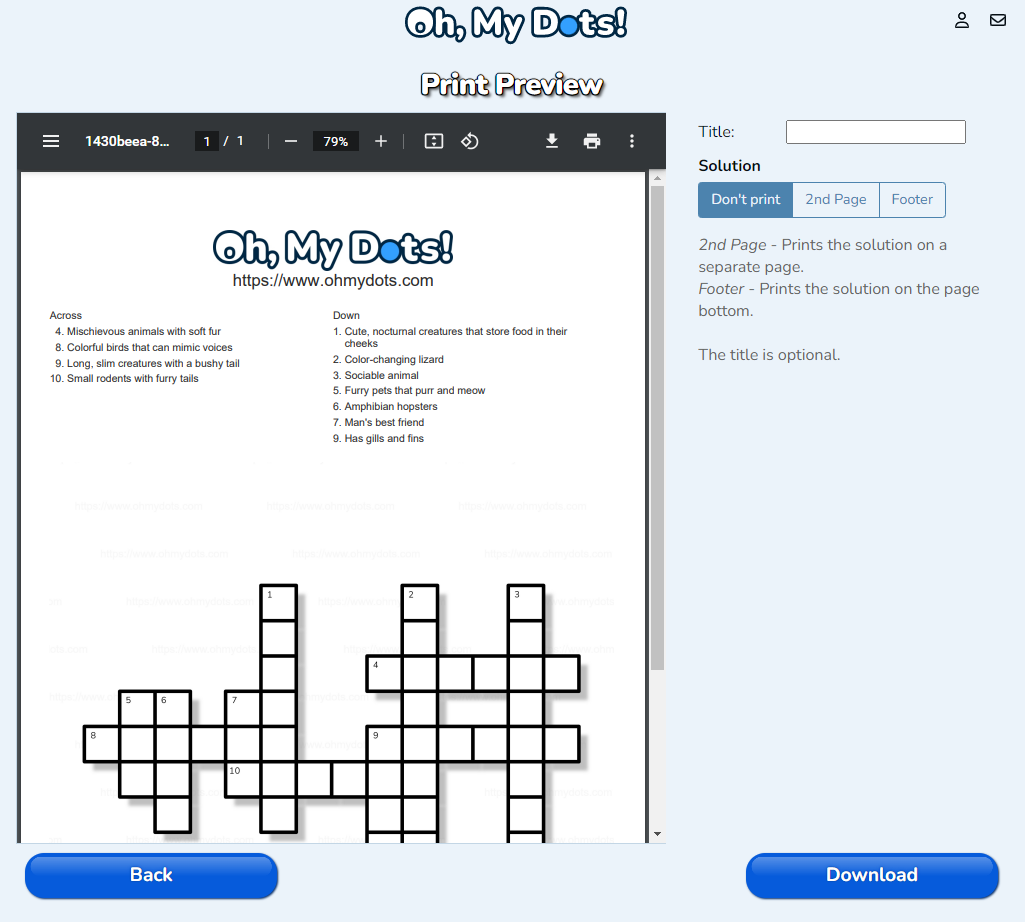
    To print the crossword puzzle, press the “Print” button. Here you can decide if you want to print the solution on an additional second page or on the bottom of the game page (or not at all).

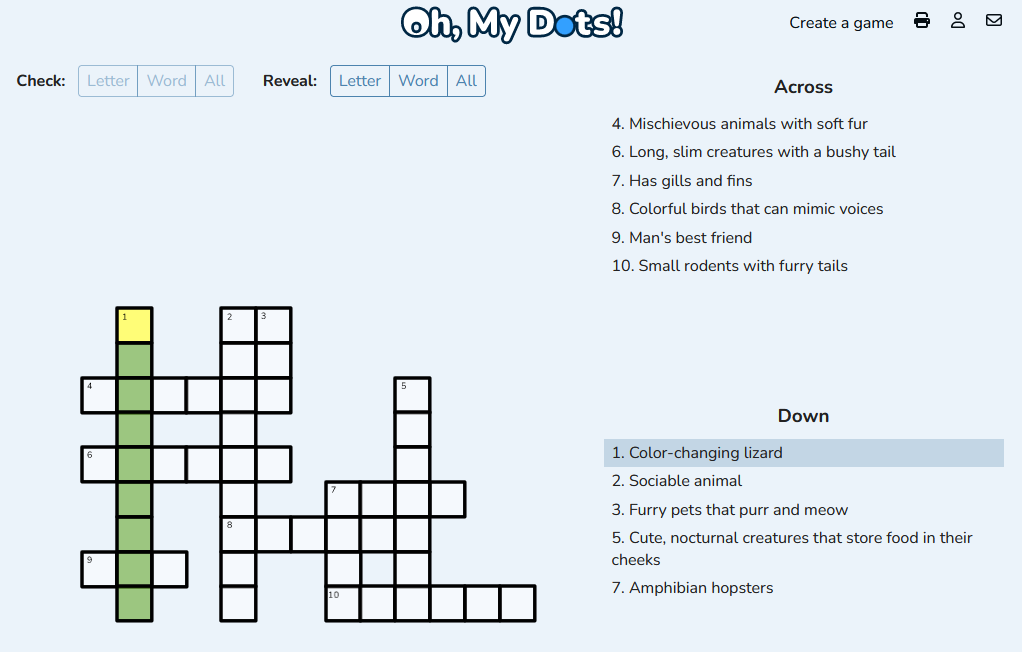
Result

Conclusion

Creating a crossword puzzle has never been easier thanks to the Oh, My Dots! crossword generator powered by AI. With just a few clicks, you can create a crossword puzzle that is challenging, fun, and educational. Whether you are a teacher looking for a classroom activity or a puzzle enthusiast looking for a new challenge, the Oh, My Dots! crossword generator is the perfect tool for you. So what are you waiting for? Start creating your own crossword puzzles today!

Dot-to-dot puzzles are a classic activity for children that not only help them develop their hand-eye coordination but also provide them with a sense of accomplishment once they complete the puzzle. And with Easter just around the corner, creating an Easter-themed dot-to-dot puzzle can be a fun and engaging activity for kids of all ages.

In this article, we will guide you through the process of creating an Easter-themed dot-to-dot using the website Oh, my Dots!. This website is an excellent tool for creating dot-to-dot puzzles with ease, even if you have no experience in design or programming. So, let’s get started!

How to create a free Easter connect the dots game

Step 1: Choose your image

The first step in creating your Easter-themed dot-to-dot is to choose an image to use as the basis for your puzzle. You can either upload your own image or search for one using the search bar at the top of the screen. You can search for keywords such as “Easter,” “bunny,” “egg,” or anything else that comes to mind. Once you find an image you like, download, and save it to your device.

Step 2: Visit Oh, my Dots!
Now, you’ll need to visit the Oh, my Dots! website at https://www.ohmydots.com/. This website is designed specifically for creating dot-to-dot puzzles, and it’s incredibly user-friendly. You’ll find a blank canvas with a toolbar on the left-hand side of the screen that contains all the necessary tools for creating your puzzle.

Step 3: Open the Connect the Dots Generator

Click on “Create a Game” and select “Connect the Dots”. Then click on the big button “Drop a picture here or browse” and select the Easter image.

Step 4: Add dots

Now that you have your image set up, it’s time to start adding dots to create your puzzle. The connect the dots generator will try to create a shape for you. You can drag the dots or click on the lines to add new dots. You can delete dots by double-clicking/tapping on them.

Once you are ready click on next.

Step 5: Create the Easter Dot-to-dot

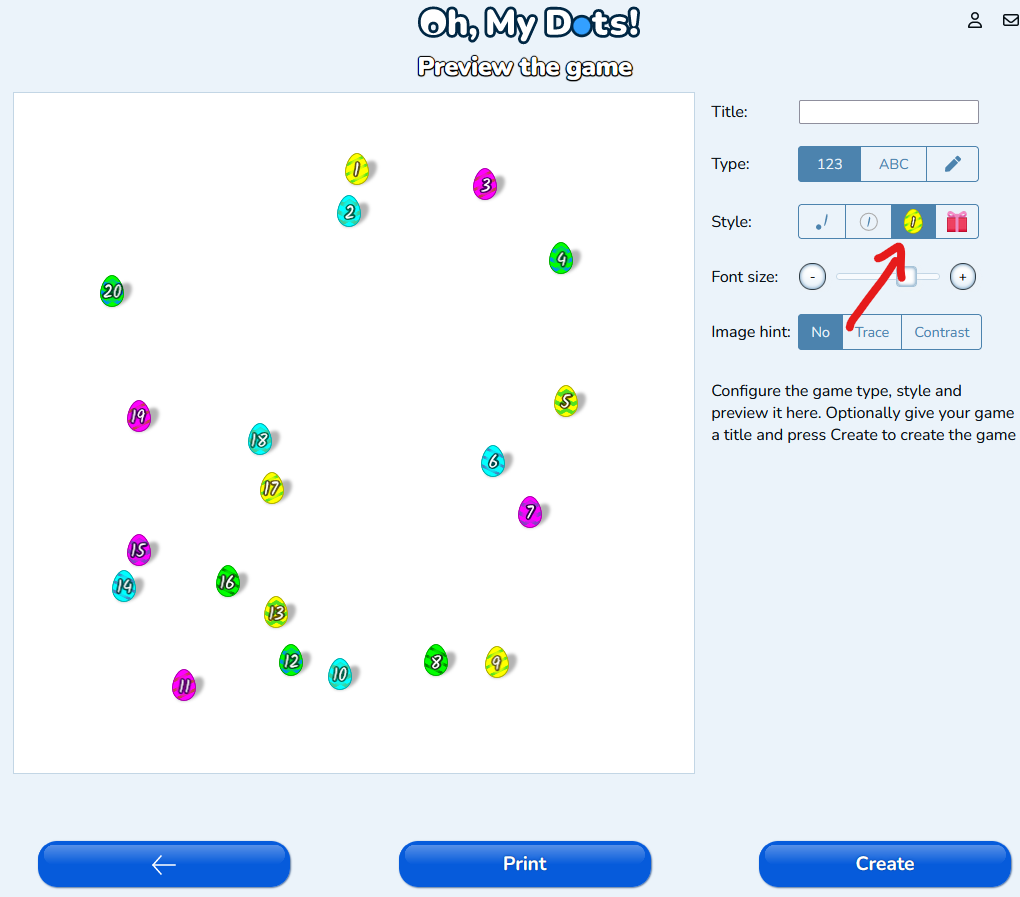
To create an Easter dot-to-dot, select the Easter egg in the controls bar at the right on desktop devices or at the bottom on mobile devices.

Step 6: Customize your puzzle

Now that you have your basic puzzle created, you can customize it further to make it even more unique. You can add a title to your puzzle by clicking on the “Title” button in the toolbar and entering your desired text.

You can also select between numbers, letters, or a custom sequence for the text inside of the eggs.

Additionally, you can adjust the font size or add an image hint (an image that appears inside of the shape) to make it more fun.

Step 7: Save and share your puzzle

Once you’re happy with your Easter-themed dot-to-dot puzzle, you can create an online game by pressing the button “Create”. This will create a unique link for your game that you can share with your family and friends. To save it to your device, click on the “Print” button in the toolbar. This will download your puzzle as a PDF file that you can print.

Dot-to-dot puzzles have been a favorite among children and adults for generations. They are a great way to improve hand-eye coordination, fine motor skills, and concentration. Creating a quiz dot-to-dot puzzle is a fun and engaging way to test someone’s knowledge while they complete a fun activity. With the help of ChatGPT and Oh, my Dots!, creating a quiz dot-to-dot puzzle is easier than ever. Here’s how you can create one.

What is a Quiz Dot-to-Dot

A Quiz Dot-to-Dot or Quiz Connect the Dots is a type of puzzle that includes questions at each numbered dot. The questions are designed to test the solver’s knowledge of a particular topic or theme related to the puzzle image. The solver must correctly answer the question at each dot to determine which number to connect next, ultimately leading to the completion of the puzzle image. Quiz Dot-to-Dot puzzles are a fun and engaging way to learn new information. They are often used as educational tools in classrooms or for self-study and can cover a wide range of topics, from history and science to pop culture and sports.

https://www.ohmydots.com/docs/wp-content/uploads/2023/02/Example_Quiz_dot-to-dot_simple.mp4

What is ChatGPT?

ChatGPT is a state-of-the-art artificial intelligence language model developed by OpenAI, one of the world’s leading research organizations in the field of artificial intelligence. ChatGPT is based on a transformer architecture and uses deep learning techniques to generate human-like responses to natural language inputs. It has been trained on massive amounts of data from the internet, making it highly proficient at understanding and generating human-like language.

ChatGPT has a wide range of applications, including language translation, chatbots, content generation, and more. Its ability to generate highly coherent and natural language has made it a highly valuable tool for businesses and researchers alike.

What is Oh, My Dots?

Oh, My Dots is a website that provides a variety of dot-to-dot puzzles for people of all ages. The website offers a large collection of puzzles with different levels of difficulty, from easy to challenging, as well as different themes, such as animals and holidays. Each puzzle is composed of a series of numbered dots that, when connected in sequence, reveal a hidden image or object.

Oh, My Dots is a fun and engaging way to improve hand-eye coordination, concentration, and cognitive skills while also providing a relaxing and enjoyable activity for individuals of all ages. The website is accessible to anyone with an internet connection and offers a great way to unwind and have fun while also improving mental acuity.

How to create a Quiz Dot-to-Dot using ChatGPT

  • Choose a Topic

    The first step to creating a quiz dot-to-dot puzzle is to choose a topic. It could be anything from animals to geography, math to history. Once you have chosen the topic, think about what kind of questions you want to ask related to that topic. Make sure the questions are age-appropriate and not too difficult for the target audience.

  • Generate the Questions

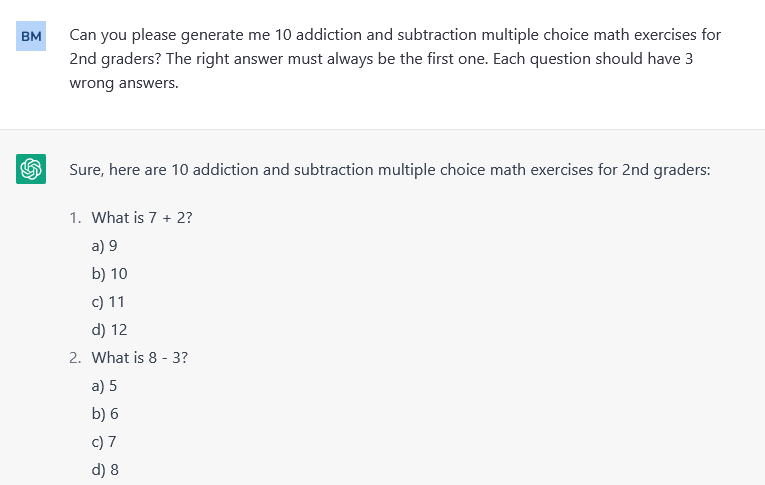
    Now that you have chosen the topic, it’s time to generate the questions. This is where ChatGPT comes in. You can use ChatGPT to generate questions related to the topic you have chosen. Just ask ChatGPT for 10 or 20 questions about the desired subject, for example: “Generate me 10 addiction and subtraction multiple choice math exercises for 2nd graders?” or “Generate me a list of 15 questions and answers about the capitals of the world”. If you are not happy with the questions you can always click Regenerate Response.

    The quiz dot-to-dot has two different modes: Multiple and single-choice. If you are creating a multiple-choice puzzle, add to the instructions: “The right answer must always be the first one. Each question should have 3 wrong answers.”

  • Create the Dot-to-Dot Puzzle

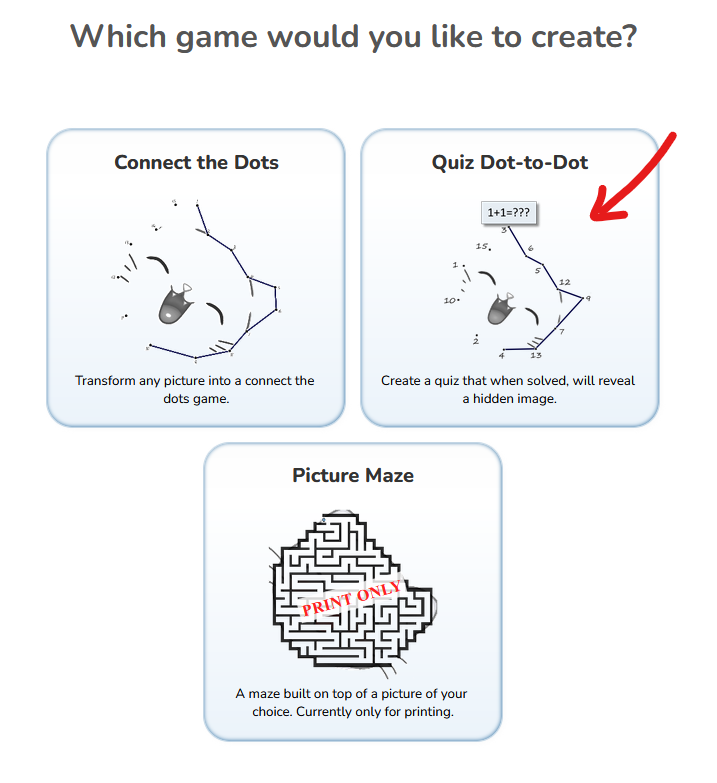
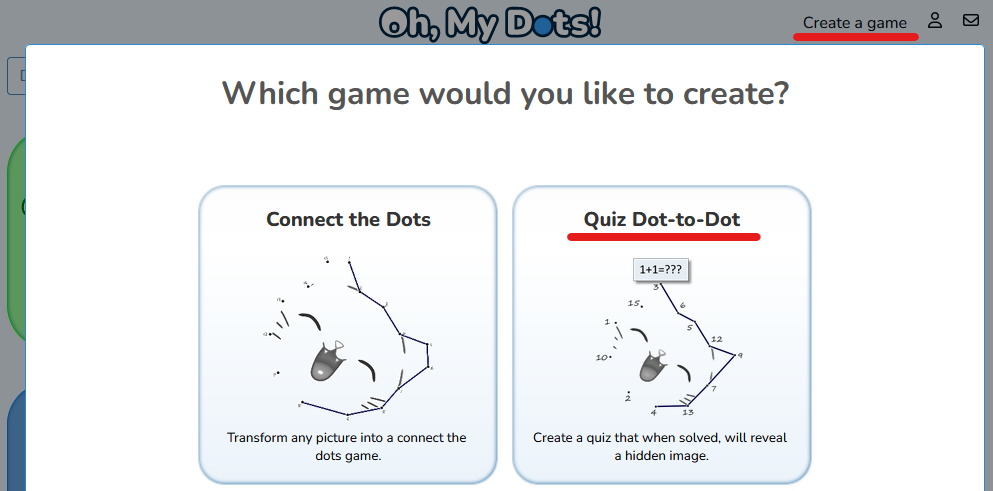
    Now that you have the questions, it’s time to create the dot-to-dot puzzle. Go to the website www.ohmydots.com, click on Create a Game and select Quiz Dot-to-Dot.

  • Upload an Image

    Upload an image related to your topic. You can use an image of an animal, a landmark, a mathematical symbol, or anything related to your topic.

    The game can generate the dot-to-dot shape for you. For it to work correctly, you should select an image with solid or transparent background.

  • Add the Questions

    To add the questions to the dot-to-dot puzzle, select the desired game mode and copy/paste the questions generated by ChatGPT to the Oh, My Dots.

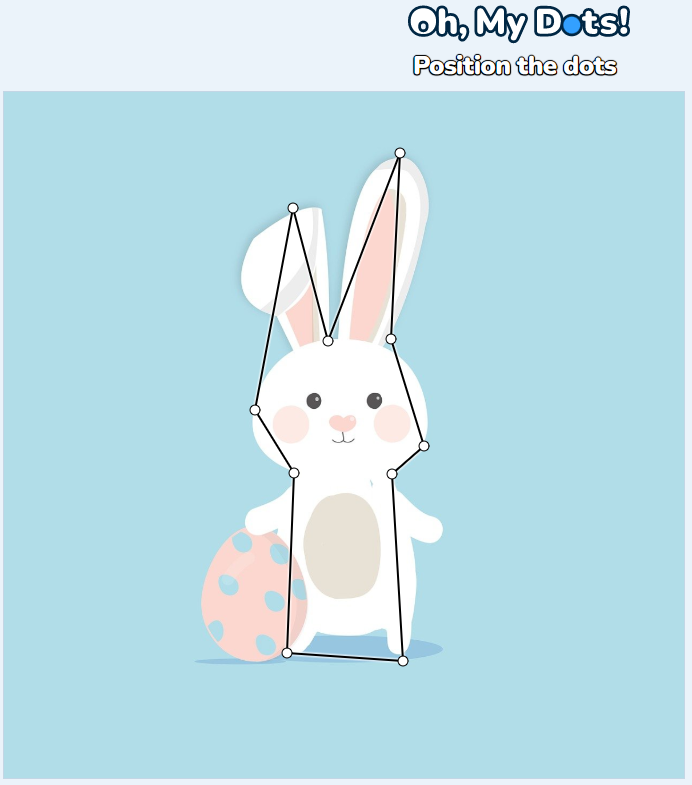
  • Position the dots

    Oh, my Dots! will interpret your image and generate the dots for you. There are as many dots as questions. To move a dot, just drag and drop it.
  • Preview your game and create it

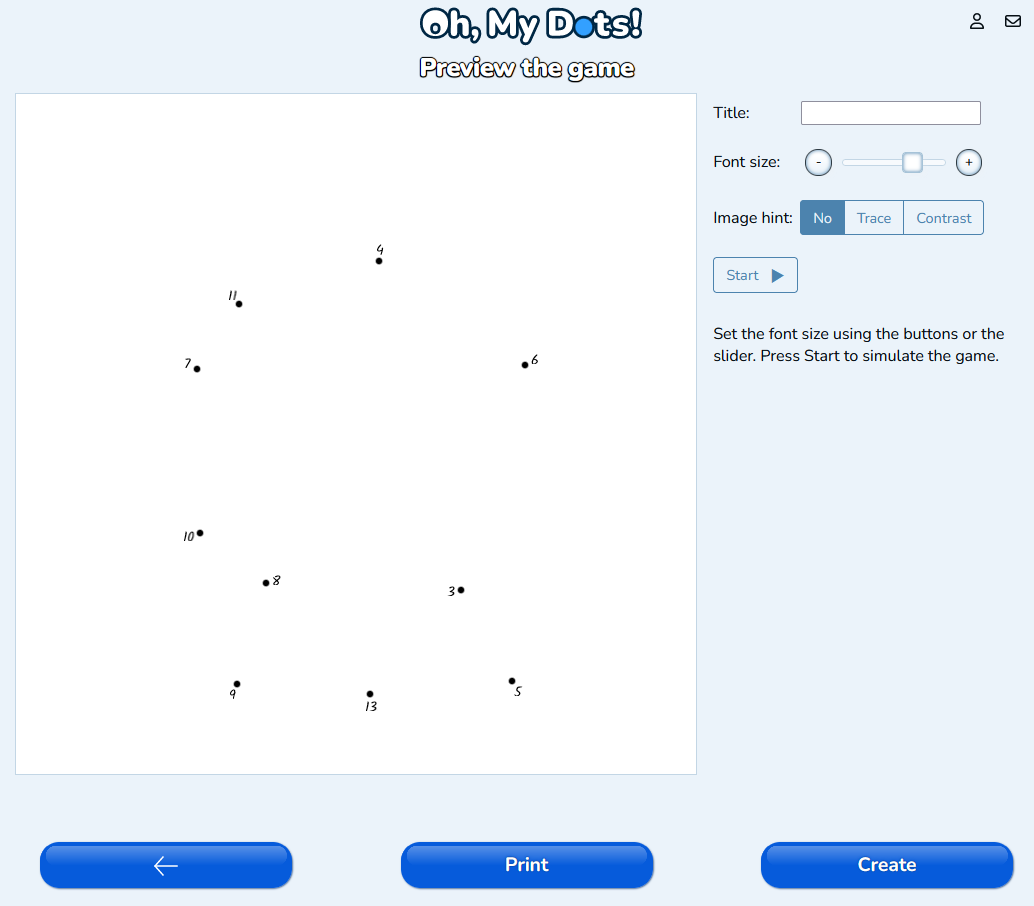
    On the next screen, you will see the game preview. To test it press the button start. You always go back and adjust the dots or the questions.

    To create the game for sharing, press the button Create. If you just want to print it, press the button Print.

Have fun!

In conclusion, creating a quiz dot-to-dot puzzle with the help of ChatGPT and ohmydots.com is a fun and engaging way to test someone’s knowledge while they complete a fun activity. With the steps outlined above, you can easily create your own puzzle related to any topic you choose.

Mazes have been a popular form of entertainment for centuries, and they’re a fun and challenging activity for people of all ages. Whether you’re looking to create a maze for a school project, a party game, or just for fun, there are several steps you can follow to create a great maze.

Step 1: Choose a Design

The first step in creating a maze is to choose a design. There are many different types of mazes you can create, from simple designs with a few twists and turns to complex designs that are almost impossible to solve.

Maze shapes can vary greatly in their design and complexity. Here are some of the most common maze shapes you may encounter:

  1. Rectangular mazes: These are the most traditional type of mazes and usually have a simple rectangular shape.
  2. Circular mazes: These mazes are designed in a circular shape and can be either simple or complex.
  3. Triangular mazes: These mazes are designed in a triangular shape and can have either straight or curved walls.
  4. Hexagonal mazes: These mazes are designed in a hexagonal shape and can be either simple or complex.
  5. Labyrinth mazes: These mazes are designed in a complex, intricate pattern that may include multiple loops, twists, and turns.
  6. Picture mazes: These mazes are designed on top of a picture and follow the picture shape.

Once you’ve chosen a type of maze, you can start sketching out a basic design. You can do this by hand or any image editing software, or a free online maze generator.

Step 2: Determine the Size

The next step is to determine the size of your maze. This will depend on where you plan to create it and how many people you want to be able to use it at once.

A maze that’s too small will be too easy to solve, while a maze that’s too large may be too difficult or time-consuming to complete.

Step 3: Draw the Walls

Once you’ve determined the size of your maze, you can start drawing the walls. You can do this by hand or using software, depending on your preference.

If you’re drawing the walls by hand, you can use a ruler and a pencil to create straight lines, or you can freehand the design if you prefer a more organic look. If you’re using software, you can use the line tool to draw straight lines or the curve tool to create curved walls.

When drawing the walls, it’s important to make sure they’re spaced far enough apart to allow people to walk through the maze without feeling claustrophobic. You’ll also want to make sure the walls are tall enough to prevent people from looking over them and cheating.

Step 4: Create Dead Ends and Forks

Once you’ve drawn the walls, you can start adding dead ends and forks. Dead ends are areas of the maze that lead to a dead end, while forks are areas where the path splits in two or more directions.

You can create dead ends and forks by simply drawing additional walls that lead to nowhere or split the path. You can also use special features like trapdoors, hidden passages, or secret rooms to add more complexity to your maze.

Connect the dots games are a great way for kids to develop a range of skills. These games can help kids develop their fine motor skills, improve their hand-eye coordination, and boost their problem-solving abilities. Additionally, connect the dots games are also a great way to teach kids about shapes, colors, and patterns.

There are several benefits of connecting the dots games for kids. These games can help kids develop a range of skills, from fine motor skills to problem-solving abilities. Additionally, connect the dots games are also a great way to teach kids about shapes, colors, and patterns.

How do connect the dots games benefit kids?

Connect the dots games are very beneficial for children, as they can help develop a range of skills. These games can help improve children’s fine motor skills, as they help them practice using their fingers in a dexterous way. Additionally, connect the dots games can help improve children’s hand-eye coordination, which is the ability to accurately and quickly identify the relationship between visual information and corresponding motor skills. Connect the dots games also help to improve problem-solving abilities, as they require careful observation and strategic planning to accurately connect the dots and form the intended picture.

What skills do kids develop with connect the dots games?

Connect the dots games help to develop and strengthen a range of skills in children. In addition to fine motor skills and hand-eye coordination, connect the dots games can also help to teach kids about colors and shapes. Through the process of connecting the dots, children can learn about various shapes, colors, and patterns. This helps children to further develop their cognitive abilities and understanding of basic shapes and colors.

How to use connect the dots games to teach kids?

Connect the dots games are a great way to engage children and teach them basic skills in a fun, interactive way. For example, teachers can present children with a series of connect the dots worksheets and ask them to use their fine motor skills to accurately connect the dots in the correct order. As children connect the dots, they can learn about the various shapes or colors that form the picture. Additionally, teachers can also involve fun elements such as introducing various characters or creatures that can be formed through the process of connecting the dots.

The benefits of connect the dots games for kids summary

Connect the dots games are an excellent way for kids to develop a range of skills and boost their cognitive abilities. These games can help kids develop their fine motor skills, hand-eye coordination, and problem-solving skills. Additionally, connect the dots games are also a great way to teach kids about shapes, colors, and patterns. With the help of these games, kids can become more creative, observant, and strategic.

Creating a quiz dot-to-dot using Oh, My Dots! can be a fun and engaging activity for children of all ages. Oh, My Dots! is a popular dot-to-dot game that allows players to connect the dots and reveal a hidden image. In this article, we will go through the steps to create a quiz dot-to-dot.

What is a Quiz Dot-to-Dot

A quiz dot-to-dot is a type of educational activity where players connect dots in a specific order to reveal a hidden image. But differently than a regular dot-to-dot game, each dot is not associated with a number but with a quiz answer. To find the correct order, the player must answer the quiz questions. At Oh, my Dots! you can create as many free games as you like. You can play the games online, or print them for some offline fun.

How to Create a Quiz Dot-to-dot game

Step 1: Choose a Quiz Theme

The first step in creating a quiz dot-to-dot is to choose a theme. It can be a fun holiday, an animal, a popular character or anything you like. This theme will determine the subject matter of your quiz dot-to-dot.

Step 2: Find an Image

Once you have chosen your theme, you need to find an image that fits the theme. You can search for images online, use a stock photo, or create your own. There are many websites site Pixabay and Pexels with royalty-free stock photos. The automatic dot-to-dot generator works better when you select an image that has a clear solid background.

Step 3: Create the Quiz

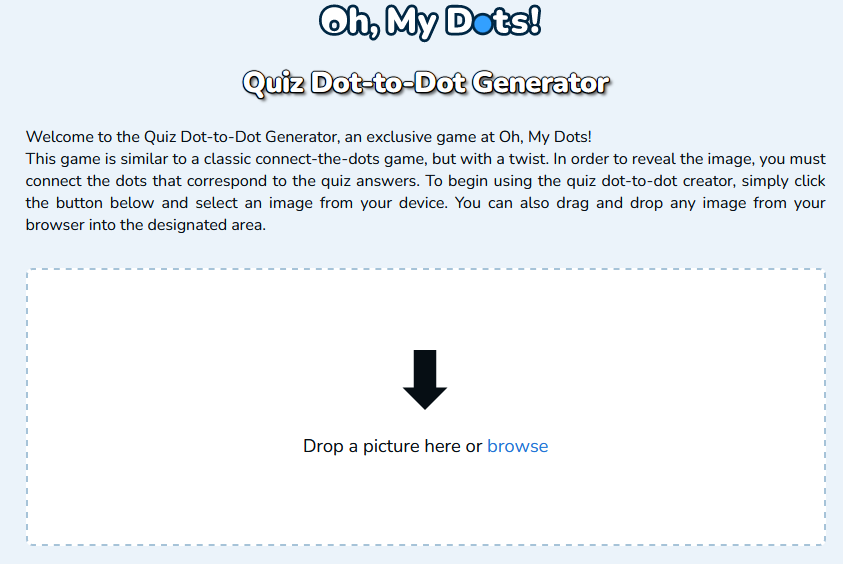
Now that you have an image, it’s time to create the quiz. Open www.ohmydots.com and select the “Create a Game” option. Then select the option “Quiz dot-to-dot”. In the welcome screen, you can drag and drop the chosen image to the marked area, or click on the browse button and select the image.

Step 4: Add Questions

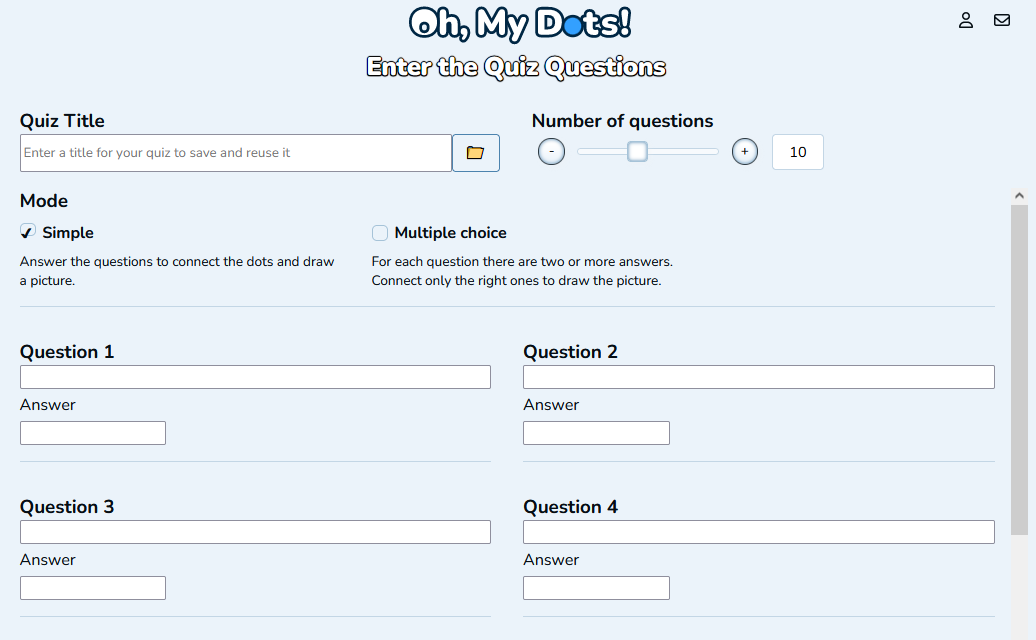
Once you have set up your quiz, it’s time to add questions. Select the number of questions and fill in the questions and answers. There are two quiz modes:

Simple mode

In the simple mode, each question has only one answer. The challenge consists in finding the answer among the various options and connecting the dots following the quiz questions. When creating the quiz in simple mode, make sure that the answers are unique.

https://www.ohmydots.com/docs/wp-content/uploads/2023/02/Example_Quiz_dot-to-dot_simple.mp4

Multiple choice

In the multiple-choice mode, for each question, there are two or more answers. The player has to connect only the right answer to draw the picture and reveal the image.

https://www.ohmydots.com/docs/wp-content/uploads/2023/02/Example_Quiz_dot-to-dot_multiple.mp4

Step 5: Arrange the dots

The dot-to-dot creator will add one point for each question positioning them based on the picture you’ve chosen. You can fine-tune it and re-arrange the dots by dragging them to the desired position.

Step 6: Test the Quiz

Before publishing your quiz, it’s important to test it to make sure it works as expected. Click the Start button to play it through to see if the questions are clear, the dots are easy to connect, and the image is revealed correctly. You can increase and decrease the font size to enhance readability.

When printing a multiple-choice quiz, you need to choose the type of numbering, so that the player knows which dots are related to which question.

Step 7: Publish the Quiz

Once you are satisfied with your quiz, it’s time to publish it. Just press the Create button to generate a share link. Oh, My Dots allows you to share your quiz with others by sharing a link. You can also share it on social media to reach a wider audience.

In conclusion, creating a quiz dot-to-dot using Oh My Dots is a fun and easy process. Whether you’re looking to create a fun activity for children, or you’re a teacher looking to engage students in the classroom, a quiz dot-to-dot is a great way to do it. With Oh My Dots, you can create a quiz that is both entertaining and educational, making it a great tool for learning and having fun.

Pixel Game Maker MV (also known as PIXEL GAME MAKER Series) is a game development software that allows users to create 2D games using drag-and-drop tools and pre-made assets. It is developed by KADOKAWA and Enterbrain and is available for Windows and macOS.

The software is abbreviated to “Actsuku” amongst the Japanese community and to PGMMV in English. The first beta release of PGMMV took place in 2018 and the full version was released in 2019.

Other game makers

A game maker is a software tool or application that allows users to create and develop video games without the need for advanced programming skills. Game makers typically provide a range of pre-made assets, such as graphics, sounds, and scripts, that users can customize and arrange to create their own games. Some game makers also include drag-and-drop tools and visual scripting languages to make it easier for users to create games.

Game makers can be used to create a variety of different types of games, including 2D and 3D games, single-player and multiplayer games, and games for desktop computers, mobile devices, and console systems. There are many different game makers available, ranging from simple, entry-level tools to more advanced, professional-grade software.

Check out these game makers directed to kids

What is a FitGirl Repack?

A FitGirl repack is a modified version of a video game that has been repackaged and shared online. These repacks are typically smaller in size than the original game and may include various modifications or enhancements, such as the removal of unnecessary files or the inclusion of additional content. FitGirl is a nickname for a group or person who creates and shares these repacks.

It is important to note that downloading and using repacks of copyrighted software may be illegal in some countries. Additionally, using repacks of software can also be risky, as they may contain malware or other harmful elements. It is generally recommended to download and install software from official sources and to use caution when downloading and installing software from unfamiliar sources. If you are considering using a repack of a game, it is a good idea to carefully research the source and consider the potential risks before proceeding.

It is possible that there may be repacks of Pixel Game Maker MV Fitgirl available on the internet. However, it is important to note that downloading and using repacks of copyrighted software may be illegal in some countries. Additionally, using repacks of software can also be risky, as they may contain malware or other harmful elements.

It is generally recommended to download and install software from official sources and to use caution when downloading and installing software from unfamiliar sources. If you are considering using a repack of Pixel Game Maker MV, it is a good idea to carefully research the source and consider the potential risks before proceeding.

Do it at your own risk

There are several risks associated with downloading and using repacks of software, including:

  1. Legal risks: Depending on where you live, downloading and using repacks of copyrighted software may be illegal. You may face fines or other legal consequences if you are caught using pirated software.
  2. Security risks: Repacks of software may contain malware or other harmful elements that could compromise your computer’s security.
  3. Compatibility issues: Repacks of software may not be fully compatible with your system, which could cause problems when you try to run the software.
  4. Quality issues: Repacks of software may not be as reliable or well-tested as the official versions, which could result in bugs or other issues when you use the software.

Mazes have been a part of human culture for thousands of years and have appeared in literature, mythology, and popular culture in many different forms. They have been used in various cultures and societies throughout history, and they continue to be popular as a form of entertainment, education, and research.

Solving mazes is a good activity for kids, as they help to develop problem-solving skills, spatial awareness, and hand-eye coordination. Mazes can also be a fun and engaging way for kids to learn about shapes, patterns, and spatial relationships.

Thanks to modern technology everybody can create an infinite number of free mazes through wonderful websites like Oh, my Dots!
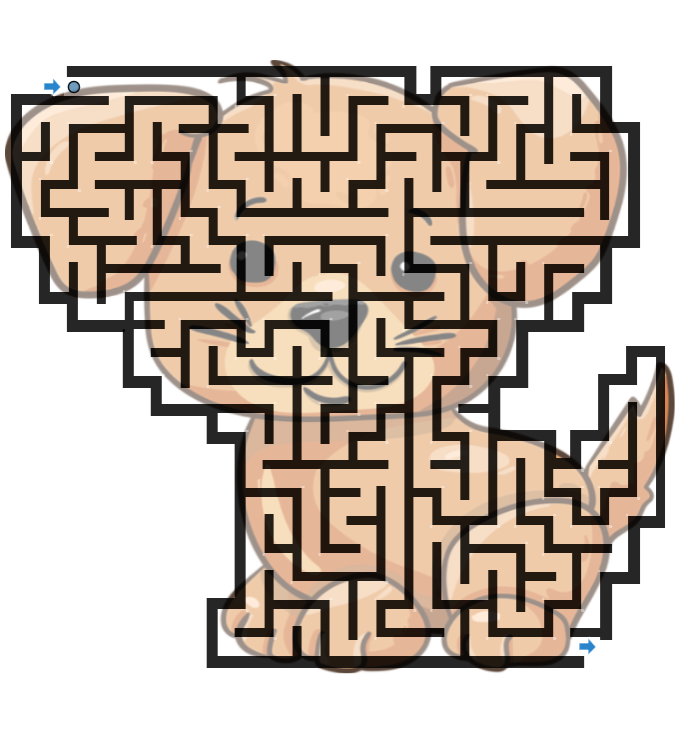
A dog image maze

But what is an image maze?

An image maze is a type of maze that is created using an image as the basis for the layout. The goal of an image maze is to find a path from the starting point to the endpoint, following the lines and shapes in the image as the path through the maze.

Image mazes can be made from a variety of images, such as photographs, drawings, or digital artwork. They can be designed to be easy or difficult, depending on the complexity of the image and the number of choices available at each intersection.

Image mazes can be used for entertainment, education, or research, and can be a fun and challenging way to explore and analyze an image. They can also be used to create unique and creative puzzles or games.

How to generate an Image Maze?

In this quick tutorial, you’ll learn how to create a maze out of any picture in just a few steps

  • Head over to Oh, my Dots!

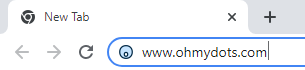
    In your web browser, type www.ohmydots.com in the address bar and press Enter.

  • Open the Picture Maze generator

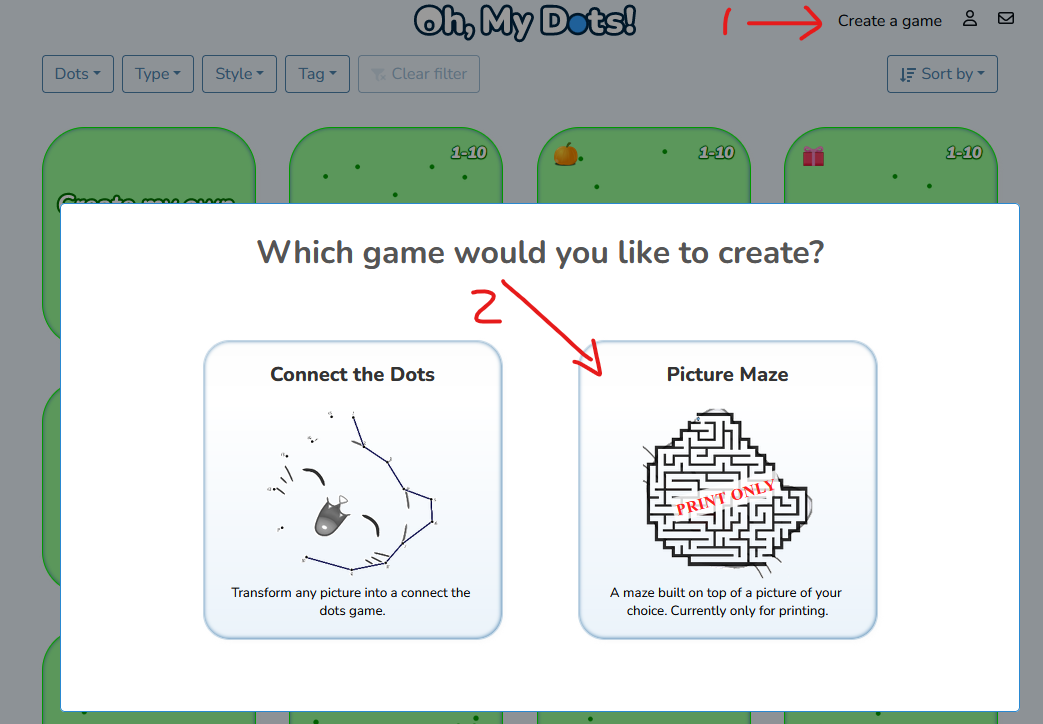
    Press the Create a Game button and then select Picture Maze.

  • Select a picture

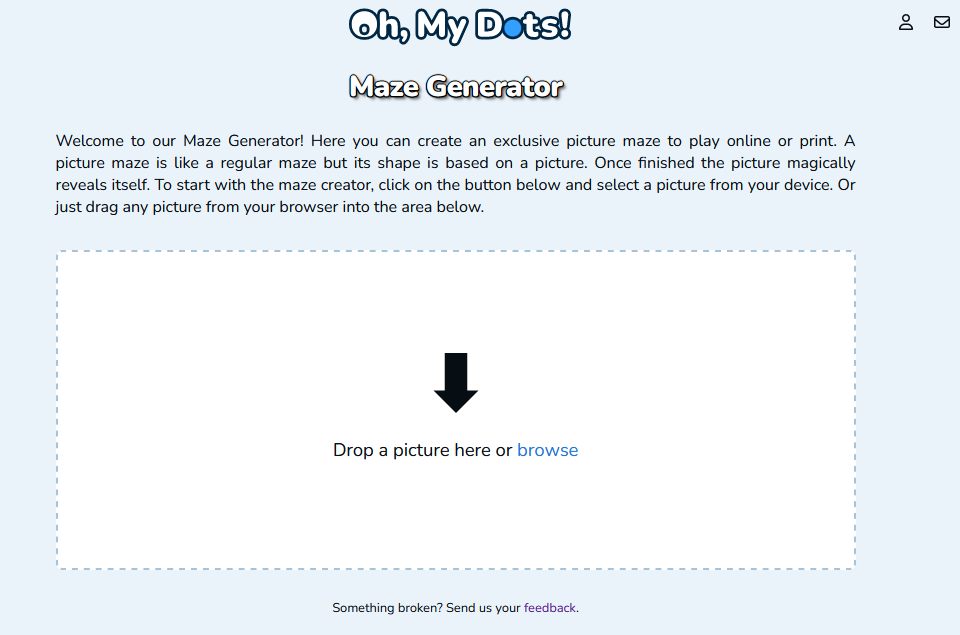
    Drag a picture to the marked area or click the button to select a picture from your device

    Tip: The automatic picture detection works better if you select a picture with a very distinctive, transparent or single-color background

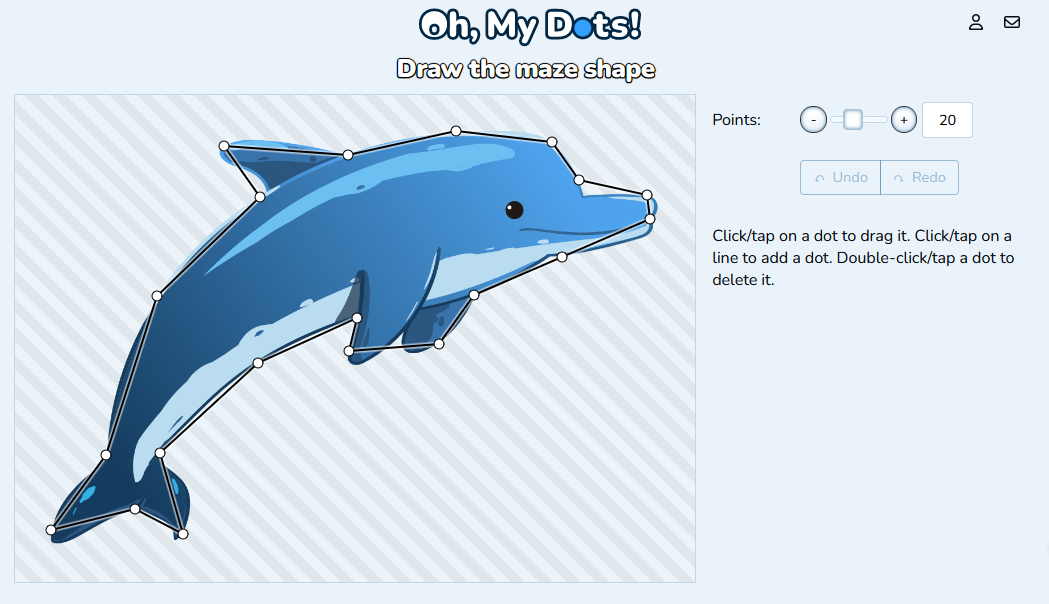
  • Draw the Maze shape

    The Maze Generator will interpret the picture and draw a shape around it. You can adjust it by dragging the points. Drag a line to add a shape or dodouble-clickap a point to remove it. Once you are done click the next button.

    Tip: The maze will be built inside the shape you’ve selected. If the shape is too narrow or small, the maze won’t have many paths and might be too easy

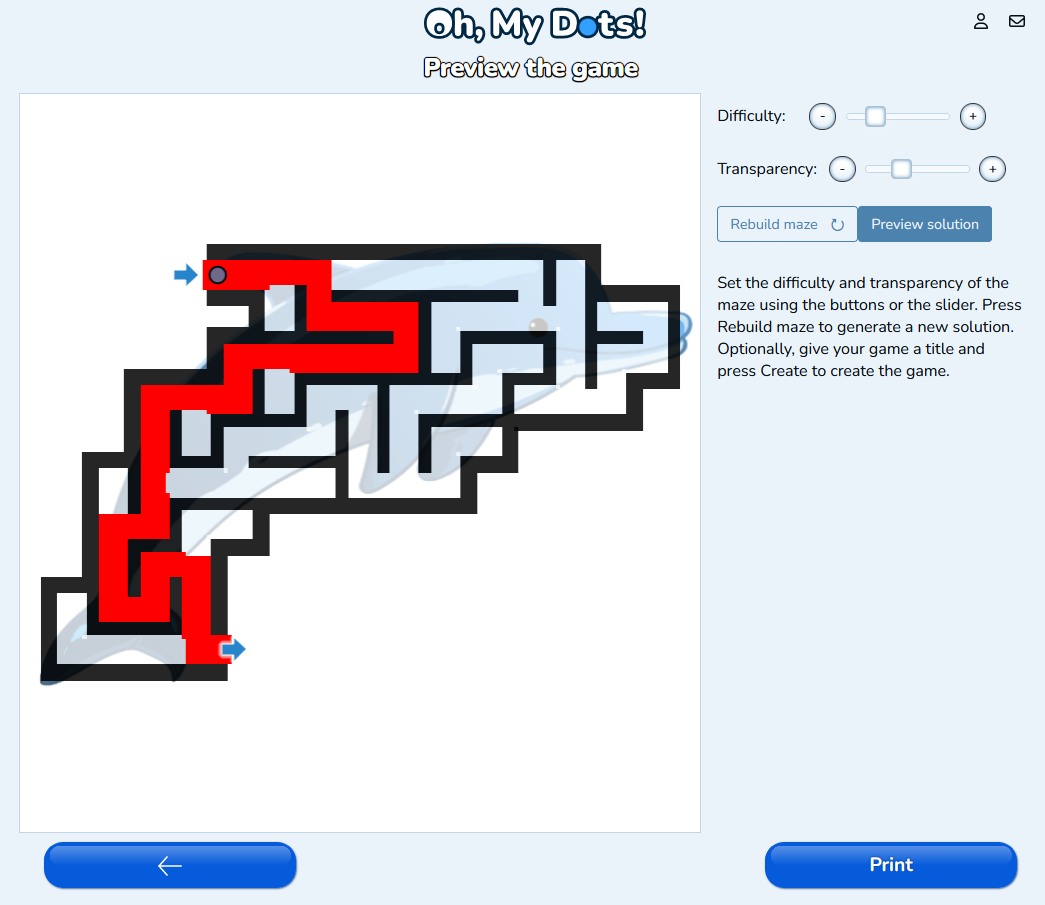
  • Adjust the game difficulty and print

    To adjust the game difficulty, use the Difficulty slider or press the plus (+) or minus (-) buttons. Press Rebuild maze to regenerate the maze with the same difficulty, but a different solution. Use the Transparency controls to make the picture more or less visible. You can toggle the solution by pressing the button Preview Solution. Once ready press the Print button.

    It is important to set the difficulty to the age and ability level of the player. For younger children, it may be helpful to start with simple mazes with fewer choices and larger paths, and gradually increase the difficulty as the child’s skills improve. It is also important to provide guidance and support as needed and to encourage children to persevere and try different approaches if they get stuck.

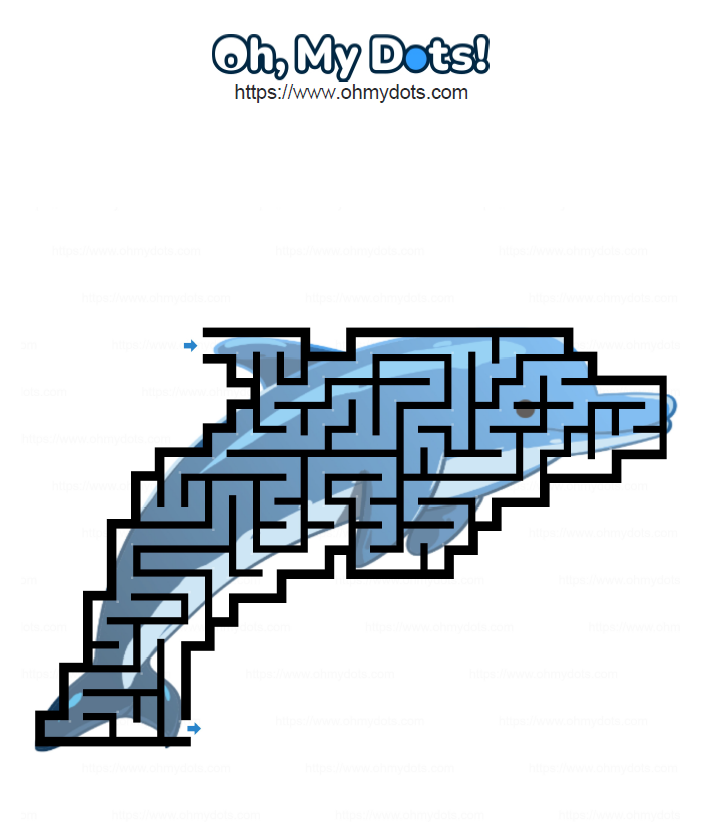
Result

An image maze example of a Dolphin

A little bit about the history of mazes

Mazes have a long history dating back to ancient civilizations. The ancient Egyptians created the oldest known maze around 2500 BC and it was called the Labyrinth. The Labyrinth was a massive structure built to house the Minotaur, a mythical creature with the head of a bull and the body of a man. The Labyrinth was so complex and confusing that it was said to be impossible to escape from, and it was used to imprison the Minotaur.

In ancient Greece, mazes were often used in mythology and folklore to symbolise chaos and confusion. The myth of Theseus and the Minotaur, for example, tells the story of a young hero who enters the Labyrinth and defeats the Minotaur, symbolizing the triumph of order over chaos.

In recent times, mazes have been used for entertainment and recreation, and have become popular attractions at theme parks and other tourist destinations. They have also been used in psychological and educational research to study spatial awareness and problem-solving skills.

What is a maze?

A maze is a complex network of paths or passages in which it is difficult to find a way, especially one in which the paths are arranged in such a way as to confuse or mislead those who try to follow them. Mazes can be found in a variety of different forms, including as physical structures made of walls or hedges, as diagrams or illustrations, or as computer programs. Mazes can be used for entertainment, as a form of puzzle or problem-solving, or for more practical purposes, such as testing the cognitive abilities of animals or humans. Mazes have a long history and have been found in many different cultures around the world.

What is a maze generator?

A maze generator is a computer program or algorithm that is used to create mazes. Maze generators can be used to create mazes of different sizes and complexities, and can be customized to generate mazes with specific characteristics or features.

Maze generators can be used for a variety of purposes, including creating mazes for entertainment or education, generating mazes for use in computer games or other software, and creating mazes for use in research or other scientific studies. They can also be used to create mazes for printing or other physical media, such as paper or cardboard.

Exit mobile version