
Creating a fun and interactive cryptogram puzzle doesn’t have to be difficult or expensive. In fact, thanks to the web-based tool Oh My Dots, anyone can build, share, and even print a free online cryptogram game without needing programming skills or design software. Cryptograms, also known as secret code puzzles, are timeless brain teasers that engage the mind, enhance pattern recognition, and entertain players of all ages. Whether you’re a teacher designing a classroom activity, a parent planning a learning game for your kids, or simply someone who wants to challenge your friends, this guide will walk you through everything you need to know.
In this article, you’ll discover how to create your own cryptogram game using the free Secret Code Game Creator. We’ll cover the step-by-step process from generating a puzzle automatically with AI, to adding hints, customizing your code symbols, and publishing or printing your final design. No downloads, no hidden fees, and no coding headaches. Just imagination and a few clever choices to make your cryptogram an instant hit.
Step-by-Step Guide to Building a Free Cryptogram Game
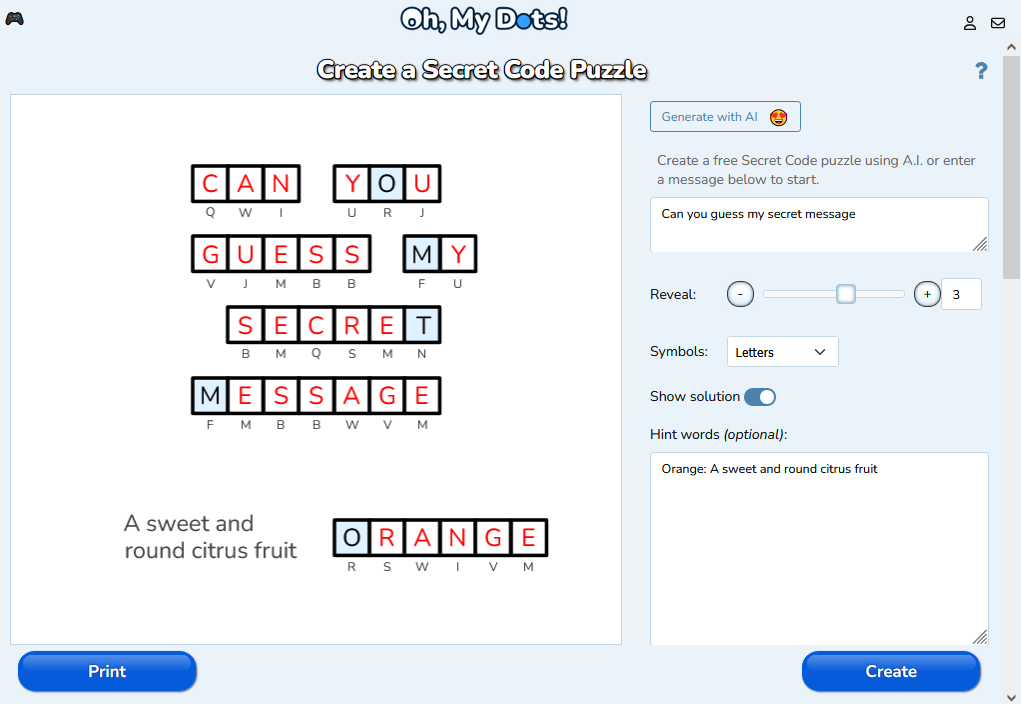
Building your first cryptogram game with Oh My Dots starts with visiting the Secret Code Game Creator page at www.ohmydots.com/creator-cryptogram.html. This browser-based tool requires no installation. The core idea of a cryptogram is simple: each letter in your secret message is replaced by a unique symbol, creating a coded puzzle that players must decipher. When you open the creator, you’ll see an intuitive interface where you can either generate a puzzle automatically or type your own message.
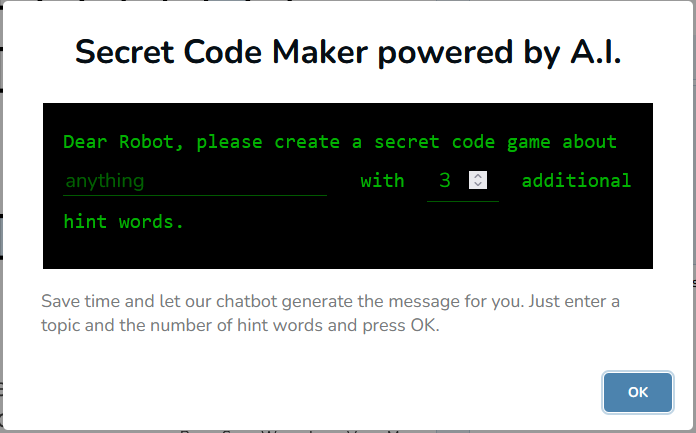
If you want to jumpstart the creative process, try the Generate with AI feature. By clicking the “Generate with AI” button, Oh My Dots’ built-in AI agent instantly creates a secret code puzzle for you, complete with letter substitutions and sensible hints. This is perfect if you need fast results or inspiration for your message. You can, however, edit or completely replace the AI-generated text at any time. For example, you might use famous quotes, educational facts, or custom messages to make your game more engaging or meaningful to your audience.
For those who love full control, you can skip the AI and type your own secret message directly into the input box. This feature supports personalized phrases, short stories, classroom vocabulary, riddles, or even themed greetings for holidays. It’s a flexible approach, allowing educators, content creators, or hobbyists to tailor the experience exactly how they want. Once you have your message, the next steps involve crafting clues and deciding how easy—or tricky—you want your cryptogram to be.
After entering your main secret message, you can make the puzzle more approachable by adding hint words. Hint words are optional but highly recommended, especially if you’re designing for younger players or cryptogram beginners. To use this feature, simply type one hint word per line, followed by a colon and a short description. For instance, you could type apple: a fruit or moon: shines at night. The key detail is that each letter from the hint words must also appear somewhere in the secret message. This rule keeps the letter-symbol mapping consistent throughout the puzzle.
Hints serve a double purpose: they make the game more educational and help solvers build a connection between the encrypted symbols and the real letters. Teachers can use them to reinforce vocabulary, while puzzle enthusiasts may use them to add narrative flavor. Let’s say your cryptogram is about space exploration—you could use hint words like “Earth,” “Star,” or “Rocket” with clues that tie into astronomy. These little touches make your cryptogram stand out and feel thoughtful, not just randomized.
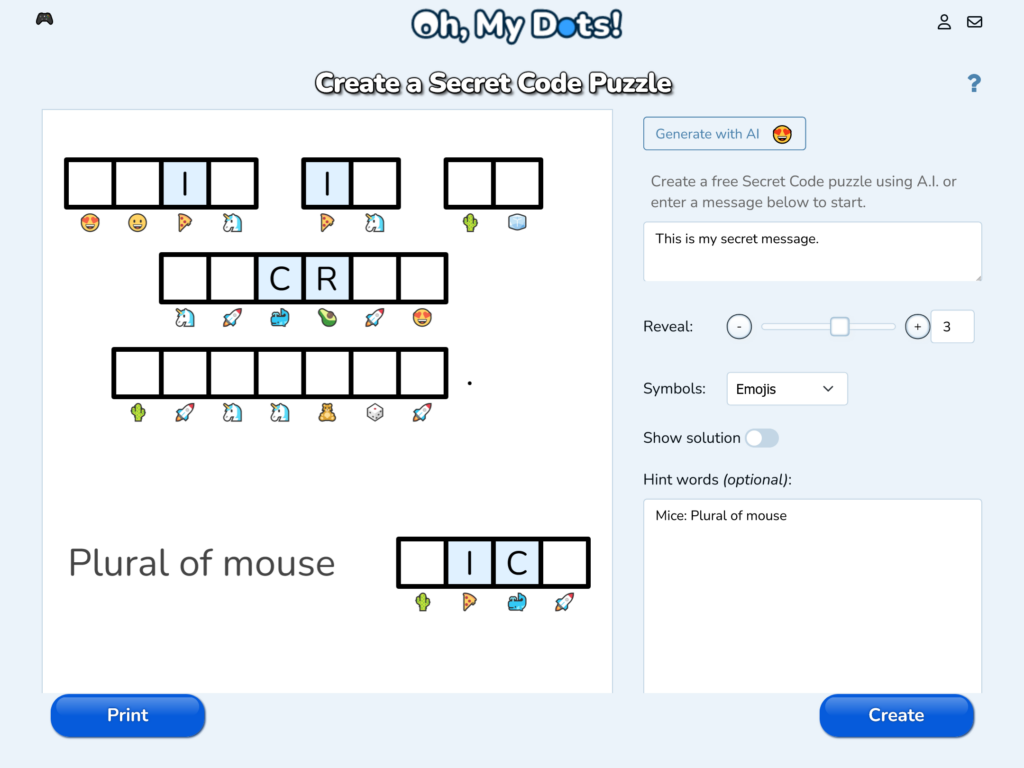
Once you’ve written your hints, Oh My Dots also allows you to reveal some letters before the game starts. This function is particularly useful when balancing difficulty. You can choose how many letters will automatically be shown to give solvers a small boost. Beginners may appreciate a few revealed letters to get started, while advanced players often prefer tougher challenges with minimal help. It’s all about finding that sweet spot between enjoyment and frustration.
Next, you’ll move to the symbol customization stage, which is one of the most visually engaging parts of the creator. Here, you can choose the set of symbols that will represent each letter of your secret message. Oh My Dots provides different symbol sets, ranging from classic shapes to fun icons. This variety allows you to match the look and theme of your cryptogram with your intended audience—simple dots for a school worksheet, or whimsical patterns for a casual puzzle page.
After setting your visual preferences, use the “Show and hide the solution” option to preview and test your puzzle difficulty. Turning off the solution gives you an authentic player’s view, helping you gauge how challenging your puzzle really is. Once satisfied, you’re ready for the exciting part—creating and sharing your game.
When everything looks perfect, click the Create button to generate your game. With one click, Oh My Dots instantly transforms your inputs—message, hints, and symbol choices—into a working interactive cryptogram playable directly online. The game includes interactive spaces for players to type their guesses, clear interface design, and automatic validation features. It’s incredibly satisfying to see your creative idea turn into a polished, shareable puzzle in just minutes.
Sharing your cryptogram is simple, too. Every created game gets its own URL, which you can copy and send to your friends, students, or followers through social media, email, or a website. Players don’t need to log in or register to play; they can just open the link and start solving instantly. This makes it ideal for educational activities, online challenges, or even group competitions.
If you prefer something more traditional, Oh My Dots also lets you print your game or download it as a PDF file. That means you can distribute your puzzles in classrooms, put them in newsletters, or include them in printed learning materials. Whether online or offline, your cryptogram game is ready to entertain and educate.
Using Oh My Dots to Design and Share Secret Code Puzzles
Beyond ease of use, Oh My Dots stands out for its versatility. It isn’t just a puzzle generator; it’s a creative playground for designing custom-coded experiences. Teachers, bloggers, and game enthusiasts can each use the tool differently, tailoring puzzles to their specific needs. For a teacher, for example, it’s a great tool for reinforcing spelling, pattern recognition, or language practice. By encoding course-related words into cryptograms, students can have fun while learning critical thinking and deduction skills.
The platform’s AI generation feature also opens doors for more creative uses. Let’s say you want a batch of quick puzzles for a daily challenge on your website—you can use the AI to create multiple cryptograms in minutes, tweaking each one for tone or difficulty. Because the AI-generated phrases can be edited, you always retain creative control. It’s this balance between automation and personalization that makes Oh My Dots particularly powerful.
For game designers or puzzle fans, the site is an effortless way to publish new challenges regularly. You can design collections of cryptograms based on themes like “famous inventions,” “movie lines,” or “holiday greetings.” The more thought you put into context and design, the more attractive your puzzle becomes to your audience. By adding unique hints or selecting distinct symbol sets, you can build a recognizable style that people will associate with your cryptogram collections.
Collaboration and sharing are at the heart of what makes Oh My Dots fun. Once your game is created, the URL sharing system encourages interaction among players. Teachers can even organize mini competitions by sending the same cryptogram link to multiple students and timing how fast they decode the message. Families can print them for game nights, and content creators can post weekly challenges to engage their online audience. The ability to generate multiple types of puzzles keeps the experience fresh.
An overlooked benefit is that these puzzles are device-friendly and browser-based, meaning players can solve them on desktops, tablets, or smartphones without compatibility issues. The responsive layout ensures every cryptogram looks good and functions well on any screen size. Sharing accessibility features like that makes it easier to reach a wide audience, including students in remote learning environments or puzzle lovers on the go.
Moreover, the print and PDF tools give educators practical options for both digital and analog use. You could hand out cryptogram worksheets in class, add them to newsletters, or use them as part of a scavenger hunt or word game session. The print-friendly design ensures the coded symbols and spaces remain clear even on paper, preserving the challenge and fun wherever it’s played.
The Oh My Dots platform also subtly teaches the art of puzzle-making and text design. By experimenting with symbols, hint phrases, and letter reveals, creators develop a deeper appreciation of what makes a game fun and fair. Over time, you can refine your approach—maybe fewer revealed letters for advanced solvers, or simpler vocabulary for younger players. Each new cryptogram you make becomes a small step toward mastering the craft of creative code puzzles.
Additionally, this system promotes community engagement. Puzzle makers can exchange cryptogram links, encouraging others to solve them, give feedback, and even request certain themes. This back-and-forth interaction turns puzzle creation into a social hobby rather than a solitary one. That’s a key reason why simple tools like Oh My Dots are becoming go-to resources for educators and enthusiasts alike.
Because the platform is free and constantly improving, it’s a reliable space for long-term use. You don’t need to worry about fees, hidden ads, or limited features. Everything—from AI generation to printable formats—is included in the core design. It’s rare to find such freedom combined with user-friendly functionality in one creative platform.
Building a free online cryptogram game has never been more accessible or more fun. With the Oh My Dots Secret Code Game Creator, anyone can bring the excitement of coded puzzles to life in just a few clicks. You don’t need powerful software or technical expertise—only a good message, a bit of curiosity, and a creative spirit.
By following the steps in this guide, you can generate your own puzzles, fine-tune difficulty, craft original hints, and share your creations anywhere. From classrooms to social media challenges, cryptograms make learning, playing, and connecting more interactive and engaging. The platform’s AI tools, customization options, and easy sharing links ensure your game reaches as many solvers as possible.
So, head over to ohmydots.com/creator-cryptogram, craft your secret message, and let the decoding begin. Whether you’re inspiring students, testing friends, or simply enjoying the art of hidden words, you now have everything you need to start building brilliant cryptogram games—completely free.